

Telegram Bot Integration
Telegram bots are fast becoming the go-to interface for crypto apps—used for everything from executing trades to powering automated cross-border remittances. With Dynamic Server Wallets, you can bring secure, wallet infrastructure directly into your Telegram bots to create seamless experiences without browser extensions or wallet popups. Dynamic Server Wallets run on your backend, allowing bots to sign transactions, manage assets, and interact with smart contracts—all in response to Telegram commands or workflows. This enables a wide range of powerful use cases:- Stablecoin Remittances: Set up recurring payments to family members (or anyone else) by their Telegram usernames, making it easy to automate weekly or monthly transfers without requiring recipients to manage complex wallet addresses.
- Trading Bots: Execute swaps, limit orders, or rebalance strategies via chat commands or automated triggers.
- Portfolio Management: Query wallet balances, track performance, and reallocate assets—all from Telegram.
This guide uses our new TSS MPC embedded wallets. Learn more about it
here.
Overview
This Telegram bot integration allows users to:- Create EVM-compatible wallets
- Send crypto to other addresses
- Sign messages with their wallet
- Dynamic’s server wallets: Creation and handling of wallet & signatures
- Supabase: Stores user wallets linked with Telegram IDs
- Grammy: A framework for building Telegram bots with TypeScript
- Viem: Handles Ethereum blockchain interactions and transaction formatting
Setup
Before starting, you’ll need:- Dynamic account with environment set up
- Telegram Bot created via BotFather
- Supabase project for database storage
- Bun or Node.js installed
Dynamic Environment Setup
Create a new environment in the Dynamic Console. Since TSS MPC wallets are available only in beta, you’ll need to request access to enable it for your environment.- Navigate to the Dynamic Console > Developers
- Enable “Embedded Wallets”

- Go to “SDK and API Keys” under the Developers section
- Copy your
Environment IDand create a newAPI Token- you’ll need these to authenticate your requests to Dynamic’s API

Telegram Bot Setup
Go to BotFather on telegram and create a new bot. You’ll receive a token that you’ll use to authenticate your bot.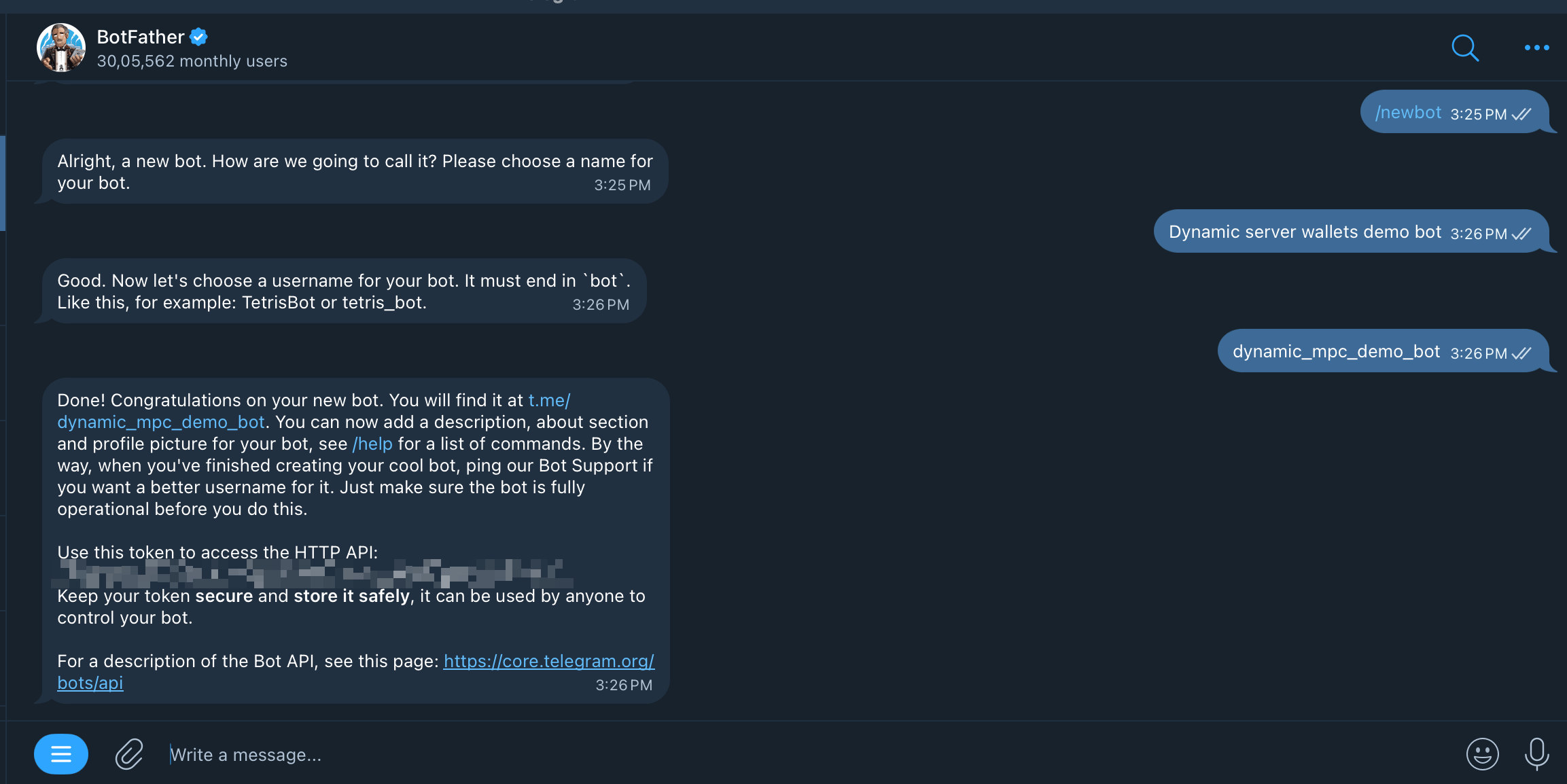
.env file.
Supabase Setup
Head over to Supabase and create a new project. Once your project is set up, create a new table calledwallets with the following schema:

Getting Started
1. Create a New Project
First, set up a new TypeScript project:2. Set Up Project Structure
Create the following project structure:3. Configure Environment Variables
Create a.env file with your credentials:
Remember to keep your environment variables secure and never commit them to
public repositories.
Implementation
Client Setup
First, let’s set up the Dynamic and Supabase clients:lib/dynamic.ts
lib/supabase.ts
Wallet Utility Function
Create a utility function to handle wallet creation and retrieval:utils/getWallet.ts
We pass
backUpToClientShareService: true so Dynamic securely backs up the
client share to the managed Client Share Service. If you prefer to store the client share yourself,
set backUpToClientShareService: false and store it in your database. If you
do, encrypt the client share before storing it.Command Handlers
Now let’s implement the command handlers:Wallet Command
commands/wallet.ts

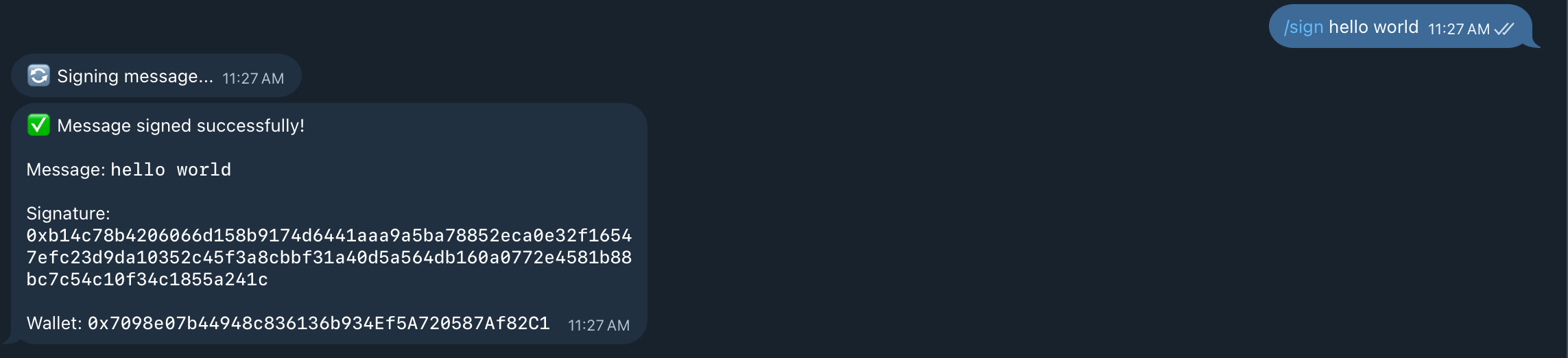
Sign Command
commands/sign.ts
.signMessage method from the Dynamic client to sign a message with the user’s wallet. The message that is being signed is passed as a command argument by the user itself.
Send Command
commands/send.ts
This example uses Base Sepolia, but you can use any chain by swapping out the
chain and the RPC URL.
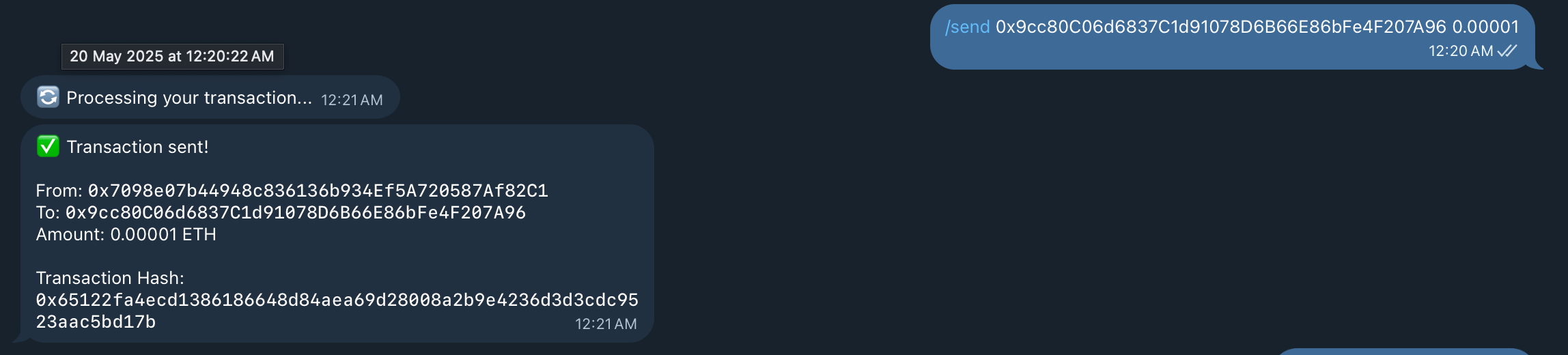
.createViemPublicClient method from the Dynamic client. We prepare a transaction request and sign it using the .signTransaction method. Finally, we send the signed transaction to the blockchain.
The user provides the recipient address and the amount of ETH to send as command arguments.
Main Bot File
Finally, let’s create the main bot file that brings everything together:/wallet, /send, and /sign commands.
Running the Bot
To run your Telegram wallet bot:package.json:
Conclusion
You’ve successfully created a Telegram bot that integrates with Dynamic’s server wallets! This bot demonstrates how to bring cryptocurrency features to messaging platforms, making blockchain technology more accessible to everyday users. If you want to take a look at the full source code, check out the GitHub repository. For additional help or to join the community:- Join our Slack community
- Check out Dynamic’s documentation
- Follow us on X