

Recommended: JavaScript SDK with React Hooks
For new React apps, we recommend the JavaScript SDK with React Hooks (
@dynamic-labs-sdk/react-hooks) instead of the legacy React SDK documented here. The JS SDK comes with many benefits such as a much smaller bundle size and other optimizations. Use the React quickstart (JavaScript SDK) to get started.Using our UI
When gates are enabled, the Dynamic Widget automatically blocks or annotates the user’s session according to your rules. No additional code is needed to enforce access or add scopes in the JWT.Using your UI
Use checks to read scopes and adjust your UI. See scope examples below.Examples
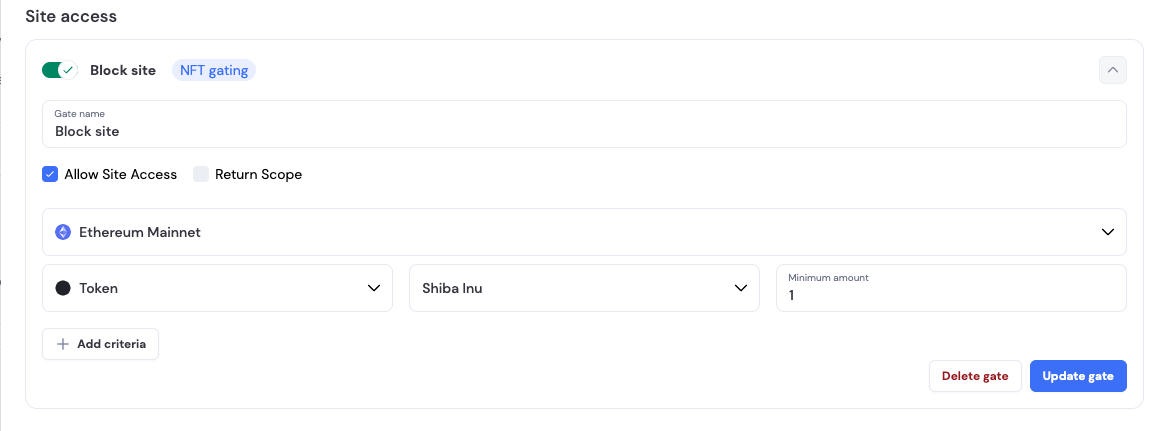
Block site for users without specific amount of tokens. Gate setup:- User needs to have at least 1 SHIB to enter the site.
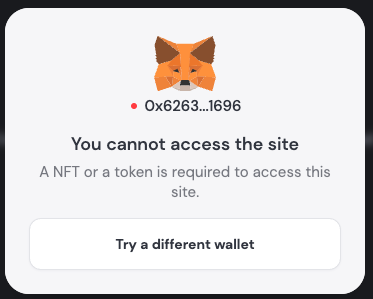
- User is blocked in Dynamic Widget:
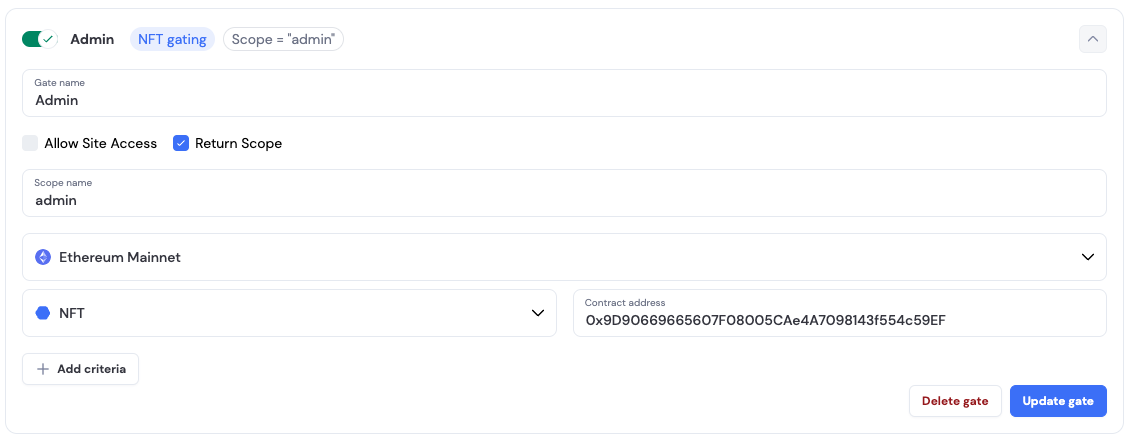
- User needs to have specific NFT to have
adminscope
- User has an
adminscope added to thejwtjson
Working with scopes
Use theuseDynamicScopes hook to check user scopes and conditionally render content.
React